Notifications
Notifications
Cyclopt Companion can send updates straight to your team's notification channel, so you hear about important results without opening the app. You set this up under Settings → Notification Channel.
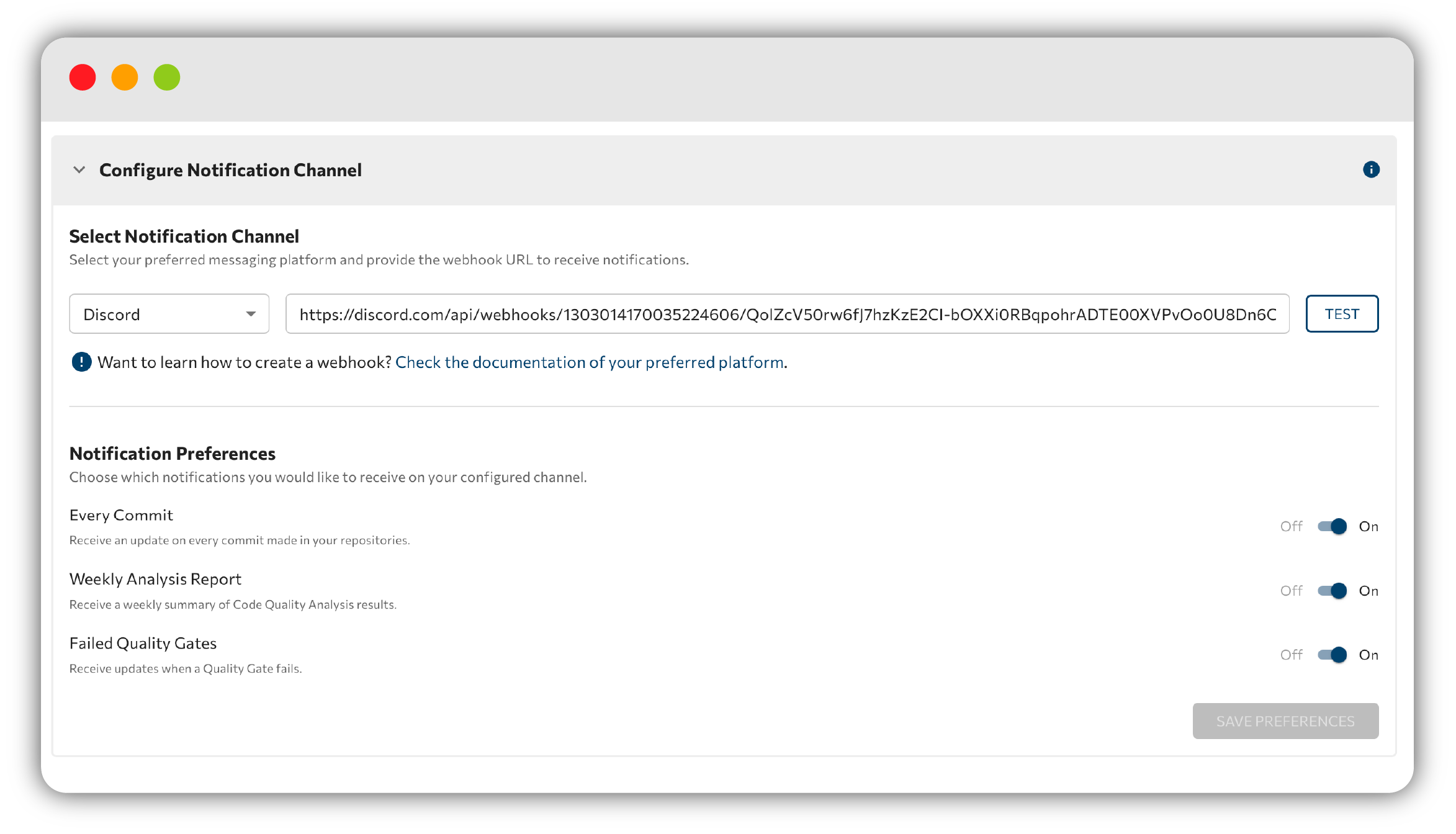
Configure Notification Channel
Under Configure Notification Channel:
- Choose a platform from the dropdown (Discord, Microsoft Teams, Mattermost, Slack, or Google Chat).
- Paste your Webhook URL.
- Click Test to send a welcome message and confirm everything works.
tip
Not sure where to find your webhook URL? Use the Check the documentation of your preferred platform link, it explains how to get a webhook URL for each platform.
Notification preferences
Choose which updates you want with these toggles, then click Save Preferences:
- Every Commit: an update on every commit.
- Weekly Analysis Report: a weekly summary of your results.
- Failed Quality Gates: updates when a Quality Gate fails.
Next step: review the rest of your options in Settings.